
How to Get the Most Out of Your Hands-Free LED Magnifier
You squint at a tiny stitch or a loose screw. Your eyes burn, and your hands shake from holding a lens. A hands free led magnifier fixes this problem. Getting the most from it means three things. First, pick the right magnification for your task. Second, set the focal distance correctly. Third, protect your eyes during long sessions. A well-adjusted led magnifier removes the strain. The lens stays in place, so both hands stay free. Light lands right where you need it. Small changes in setup make close work calm and precise.
- Pick the right magnification for your task. Lower power works well for reading. Higher power works well for close-up detail work.
- Set the focus distance the right way. Keep the stand magnifier flat. Put your eye right above the lens.
- Use several light sources to cut down on glare. Tilt the LED light so it shines across your work. Turn the light down for shiny materials.
- Set up a comfortable workspace. Raise your work to eye level. Rest your elbows and forearms. Keep your tools close by.
- Follow the 20-20-20 rule. Every 20 minutes, look at something 20 feet away. Blink often when you work close up.
- Watch for signs that your eyes are tired. If your vision gets blurry, your eyes need a break. If you get headaches, check how your setup is arranged.
- Have regular eye exams. Keep your prescription current. Tell your eye doctor you use a magnifier.
- Take good care of your magnifier. Clean the lens with a microfiber cloth. Keep the device in a padded case.
Choose the Right Hands Free LED Magnifier for Your Task
A hands free led magnifier works great for cross-stitch, knitting, and woodworking. These tasks need both hands. A good magnifier holds the lens and the light for you. The right model also lowers headaches, eye strain, and stitching mistakes. You just need to match the tool to the job.
Compare Hands-Free Magnifier Styles
Each style fixes a different problem. Headband models go with you. Stand and neck models stay in place. Your task decides which one works best.
Headband Models for Maximum Mobility
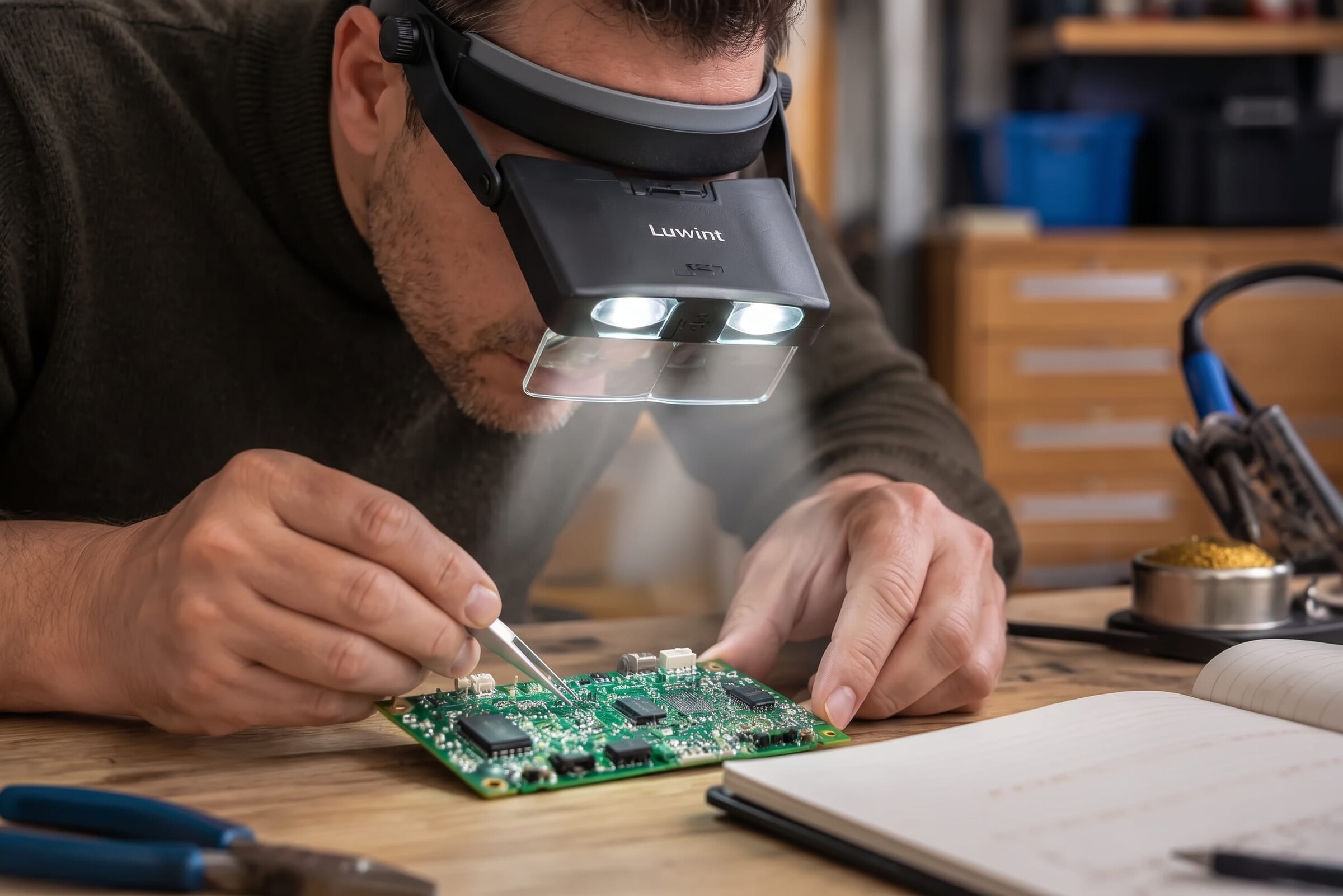
Headband magnifiers rest on your head. They put magnification and light right where you look. This design works well for detailed hobbies, crafts, or repair work that needs steady hands. Flip-up designs let you switch between magnified and normal vision. Adjustable headbands keep you comfortable for long wear. LED lights on the frame give you shadow-free light. Swappable lens strengths fit different tasks. One trade-off matters. Higher magnification usually means a shorter working distance. That short distance can affect posture, neck comfort, tremor, and arthritis. Headbands also take time to get used to, especially with prescription glasses.
Stand and Neck Models for Stability
Neck-style magnifiers help with hands-free tasks like sewing, knitting, and crafts. They have a bi-aspheric lens for near distortion-free viewing. A wide field of view helps you see more fabric at once. Transparent mounting creates shadow-free viewing. An adjustable cord raises or lowers the height. Rubber pads in the feet stop slipping. Stand magnifiers, like bar models, give shadow-free viewing for reading over long periods. They handle detailed work like reading computer printouts. Stand models are stable, but they are bulky and heavy. Their field of view is also limited.
| Magnifier Type | Key Advantages | Key Limitations |
|---|---|---|
| Headband | Even weight distribution; interchangeable lenses (2x–4x); distortion-free prismatic lenses; built-in LED lighting | Takes getting used to with glasses; higher magnification introduces distortion or closer working distances |
| Neck Cord / Clip-On | Large lightweight lens; adjustable cords and fold-out feet; portable; clip-ons flip up | Neck cord designs can shift during movement; clip-ons suit stationary work |
| Stand | Stable hands-free platform; shadow-free viewing; ideal for stationary reading or crafts | Bulkiness and weight; restricted field of view |
 hands-free magnifying glasses with lights worn by an older woman doing intricate needlework to reduce eye strain

Match Magnification Power to Your Task
Magnification power changes everything. Too little power leaves fine print blurry. Too much power shortens your working distance and strains your neck. Match the number to the job.
Choose Lower Power for Reading
Reading books works well around 1.75x. This level helps with text, but it is not enough for the finest detail work. Magnifiers for reading at this power let you sit back comfortably. You can read for longer stretches without hunching forward. If you need to read fine print on labels or documents, a slightly higher power may help. Start low and move up only when the text stays blurry.
Choose Higher Power for Fine Details
Fine-detail work like jewelry making, cross-stitch, or model building calls for 2–4x. This range covers most hobby and arts and crafts work. Woodworking with fine joinery or detail inspection often needs 2x–3x. Electronics work may use 2x with a 3.5x spot lens. Spot inspection sometimes requires 4x or 8x. Remember the trade-off. More magnification means a shorter working distance. That shorter distance can hurt your posture over time.
| Use Case | Recommended Magnification |
|---|---|
| Reading books | Around 1.75x |
| Fine-detail work (jewelry, cross-stitch, model building) | 2–4x |
| Woodworking (fine joinery/detail inspection) | 2x–3x |
Review Lens and LED Features
The lens and the light shape your experience. Good optics reduce distortion. Good lighting reduces shadows and glare. Check both before you buy.
Adjustable Brightness and Color Temperature
Adjustable brightness settings let you control light strength for different rooms and jobs. Dimmable LED lighting lets you adjust brightness to match the material. Color temperature matters too. Daylight lamps and magnifiers often run 5,500K–6,000K. Embroidery work benefits from around 6,400K daylight bulbs. Cooler white light near 4,000K is a cheaper option. A 6,000K cool white LED at 800 lumens provides bright, even light. An illuminated magnifier with these features gives you flexibility.
Lens Size and Working Distance
Lens size affects your wider field of view. A larger lens shows more of your work at once. That helps with fabric projects and detailed inspection. Working distance matters just as much. Your eye should sit directly above the lens and look straight down. A stand magnifier sits at the correct focal distance when you keep the base flat. Never tilt or lift it. Handheld models let you raise or lower the lens until the image snaps into focus. A 16-inch focal length provides a comfortable working distance for most detailed tasks. Some models adjust from 4 inches to 33 inches above the surface. Others reach outward up to 42 inches. These ranges help you find a comfortable position.
 Senior reading a book hands-free using a large illuminated rectangular magnifying glass on a foldable stand

Protect Your Eyes During LED Magnifier Use
Set a timer or use an app to remind you. After 20 minutes of reading or fine work, stop. This duration marks the point where eye strain begins to accumulate during sustained near-focus work. The rule was first proposed by Anshel in the late 1990s. Major organizations like the American Academy of Ophthalmology and the American Optometric Association recommend regular breaks and refocusing as a helpful habit for eye comfort.
Focus on Something 20 Feet Away
Find a spot across the room or out a window. Let your gaze rest there for 20 seconds. This action relaxes the focusing muscles that stay contracted during magnifier use. Research suggests this habit may ease symptoms like dry eyes and visual discomfort. One study found no significant difference in visual acuity or accommodative posture after participants followed the rule for 2 weeks. Another study suggests longer breaks of at least 5 minutes every hour may have a greater effect.
Take Care of Your Hands Free LED Magnifier
A clean lens and a good battery keep your hands free led magnifier working like new. Dust, fingerprints, and weak batteries all make your view less clear. A few easy habits protect your tool and your eyes.
Clean Lenses and LEDs the Safe Way
Dust and fabric fibers build up on the lens after each use. This buildup scatters light and makes the image softer. Gently wipe the lens with a soft microfiber cloth after every use. This takes only seconds and stops grime from hardening on the surface.
Use a Microfiber Cloth
Paper towels and rough fabrics scratch glass and plastic lenses. Keep a clean microfiber cloth with your magnifier. For tough smudges, spray eyeglass lens cleaner onto the cloth, not onto the lens. For PVC or PMMA optical-grade plastics, a mild detergent or glass cleaner like Windex is safe if you use it lightly. Never use harsh cleaners or put the magnifier in water. Too much moisture damages electronics in lighted models and breaks down lens coatings. If your magnifier has built-in lighting, turn it off and unplug it before cleaning.
Use Lens-Safe Cleaning Solution
A lens-safe solution removes oils without harming the coating. Put a small amount on your cloth, then wipe in a gentle circle. Store the magnifier away from direct sunlight. Sunlight can warp or yellow the lens, and a focused beam can even start a fire. Keep the magnifier away from needles, pins, and scissors to lower scratch risk. Check the lens often for scratches, dust, or moisture. Finding problems early keeps them from becoming permanent.
Protect the Magnifier When Not in Use
Good storage guards your magnifier against scratches, dust, and impact damage. A little care between sessions makes the lens and the LED lights last longer.
Store It in a Padded Case
A padded case soaks up shocks and keeps dust off the lens. Use a soft cloth or pouch if you do not have a case. Store the device in a dry place to prevent mold or mildew. Moisture damages both the lens and electronic parts. Never place the magnifier face down on a hard surface. That position puts the full weight of the frame on the lens.
Keep the Lens Cover On
The included lens cover blocks dust and accidental contact. Put the cover on every time you finish working. This habit matters most during transport. A soft carrying case adds another layer of protection against scratches and dust.
Keep Batteries and LED Attachments Ready
Steady lighting depends on fresh batteries and working LEDs. A dim or flickering light forces your eyes to work harder during reading and detailed tasks.
Store Spare Batteries Nearby
Keep spare batteries in your workspace so you never work in dim light. Battery types vary by model. Some headband magnifiers use 3 AAA batteries, which often come separately. Rechargeable options last 8–12 hours or 6–8 hours depending on the model. A battery indicator prevents unexpected loss of light. Standard AA and AAA batteries pair with LED bulbs rated about 100,000 hours. These bulbs produce broad, even illumination rather than a narrow spotlight. Wide, even coverage reduces eyestrain.
Use an LED Attachment for Low-Light Work
An LED attachment improves visibility in low-light environments. Some models offer dual rechargeable LEDs with amber illumination and two brightness settings. Others provide three detachable LEDs with adjustable angles. Aimable light lets you direct brightness exactly where you need it. USB recharge prolongs illumination for long sessions. Periodically inspect the LEDs to ensure they turn on and off smoothly and that no connections sit loose. Good lighting keeps your magnifier use comfortable and precise.
Your hands free led magnifier rewards good habits. Eye health, optical quality, lighting, and ergonomics decide your reading comfort. Start with magnification. Choose 2x-4x for general reading projects and 5x-8x for dense, fine reading work. Next, set your focal distance and aim your light. Daylight-color LEDs near 5000K cut glare and keep colors true during reading. Glass lenses stay crisp and resist scratches. Finally, take regular eye breaks during reading and close work. Look away, blink, and stretch. Small changes in posture, lighting, and eye care deliver the biggest reading gains. Adjust one thing today, and your reading sessions become calmer, sharper, and far more precise.
FAQ
What magnification do I need for reading?
Most people do well with around 1.75x for books and documents. This power lets you sit back comfortably during long reading sessions. If fine print stays blurry, move up slowly. Higher power shortens your working distance and may strain your neck.
Can I wear my glasses with a hands-free magnifier?
Yes, keep your glasses on if you normally wear them. Removing them changes how your eye focuses through the lens. Test both ways to find the sharpest view. Ask your eye doctor about a working-distance prescription for close tasks.
Why does my stand magnifier blur when I lift it?
A stand magnifier is preset at the factory for a fixed focal distance. Lifting or tilting the base breaks that optical alignment. Keep the base flat on your work surface. Your eye should look straight down through the lens.
How do I reduce glare from the built-in light?
Angle the light across your work surface instead of straight down. This sideways approach skips over your hands and flattens shadows. Turn down the brightness on shiny materials like metal or glass. A dimmer setting often gives better contrast.
How often should I take eye breaks?
Follow the 20-20-20 rule. Every 20 minutes, look at something 20 feet away for 20 seconds. This distance lets your focusing muscles relax. Blink several times during each break. Longer breaks of at least 5 minutes every hour may help even more.
What are the signs of eye strain?
Watch for blurry vision that clears when you blink. Headaches behind your eyes or across your forehead are common. Burning, tired, or watery eyes also signal strain. Neck and shoulder pain often come with these signs. Fix your setup when you notice them.
How do I clean the lens safely?
Wipe the lens with a soft microfiber cloth after every use. For tough smudges, spray lens cleaner onto the cloth, not the lens. Never use harsh cleaners or put the magnifier in water. Turn off and unplug lighted models before cleaning.
How should I store my magnifier?
Use a padded case to protect against scratches, dust, and impact. Keep the lens cover on between sessions. Store the device in a dry place away from direct sunlight. Never place the magnifier face down on a hard surface.